On this page
OpenAI launched Businesses in ChatGPT on November 10, 2026, in beta. A company can now claim its business in ChatGPT, correct its information, upload a product feed and see how often it is mentioned in answers. In the United States, some companies can also publish a Business Agent, a conversational agent that speaks in their name. OpenAI is giving brands a direct channel to what ChatGPT shows about them.
Key takeaway: claiming your business in Business Hub lets you correct your information and see your mentions, website clicks and discovery topics in ChatGPT. It does not move you up in answers: OpenAI states that ChatGPT keeps making independent recommendations and comparisons. Business Agents are limited for now to eligible ecommerce and online service businesses in the US.
This article is written by the team at Citeme, an AI visibility tracking tool. It is based on the three pages OpenAI published on November 10, 2026: the announcement, the product page and the Business Agents policy. We also went through the claim flow on November 10, 2026, from a free ChatGPT account, and the ChatGPT screenshots come from that session. We made two attempts: one for Citeme, one for an online store. We flag every point we could not verify.
Businesses in ChatGPT at a glance
Here is what we know as of November 10, 2026, from OpenAI's own pages.
| Item | What we know |
|---|---|
| Launch | November 10, 2026, in beta |
| Where it lives | In Business Hub, at chatgpt.com/business-hub |
| Claiming | Open to eligible businesses located where ChatGPT is available. In the flow we went through, only the "online store" option reaches profile creation for now |
| Verification | Website ownership through a Shopify sign-in or a DNS TXT record, then identity verification with a government-issued ID. You must own the business or be authorized to represent it |
| What you can edit | Key business details, and for retailers a product feed with pricing and availability |
| Visible sign | A blue check on the business profile in ChatGPT |
| Insights | Mentions, website clicks, discovery topics. Aggregated, and shown only above a volume threshold |
| Business Agents | Limited to eligible ecommerce and online service businesses in the United States |
| Advertising | A Business Agent can be sponsored and used as the destination of a ChatGPT Ads campaign |
| Effect on placement | None promised: claiming does not guarantee higher placement or sales |
| Price | OpenAI lists no price. We met no payment step |
OpenAI frames the stakes with one number: 1.2 billion people use ChatGPT each week, according to the announcement.
How do you claim your business in ChatGPT?
Claiming happens in Business Hub, over a few screens. Here is the flow as we went through it on November 10, 2026.
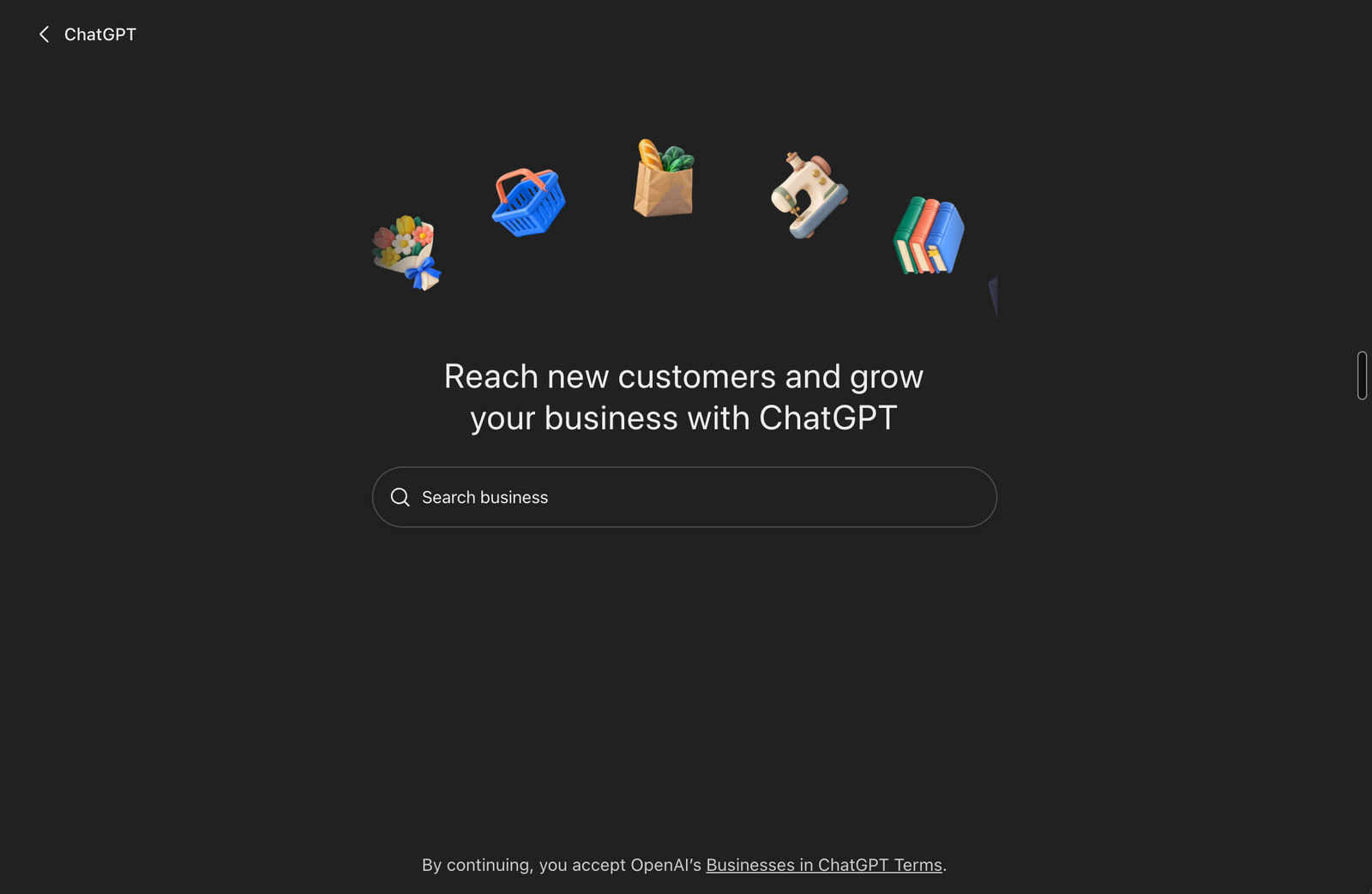
Step 1: open Business Hub and search for your business
Business Hub opens on a search field. You type the name of your business to start.
Step 2: choose your type of business
ChatGPT asks how customers usually interact with you. Three choices appear: a physical location, an online store, or a service. On November 10, they do not lead to the same place:
- Online store: the only path that reaches profile creation.
- Physical location (store, restaurant, office): sign-up ends on a waitlist, with the promise of an email when the next step opens.
- Service (remote or on-site services): the option is greyed out, labeled "Coming soon".
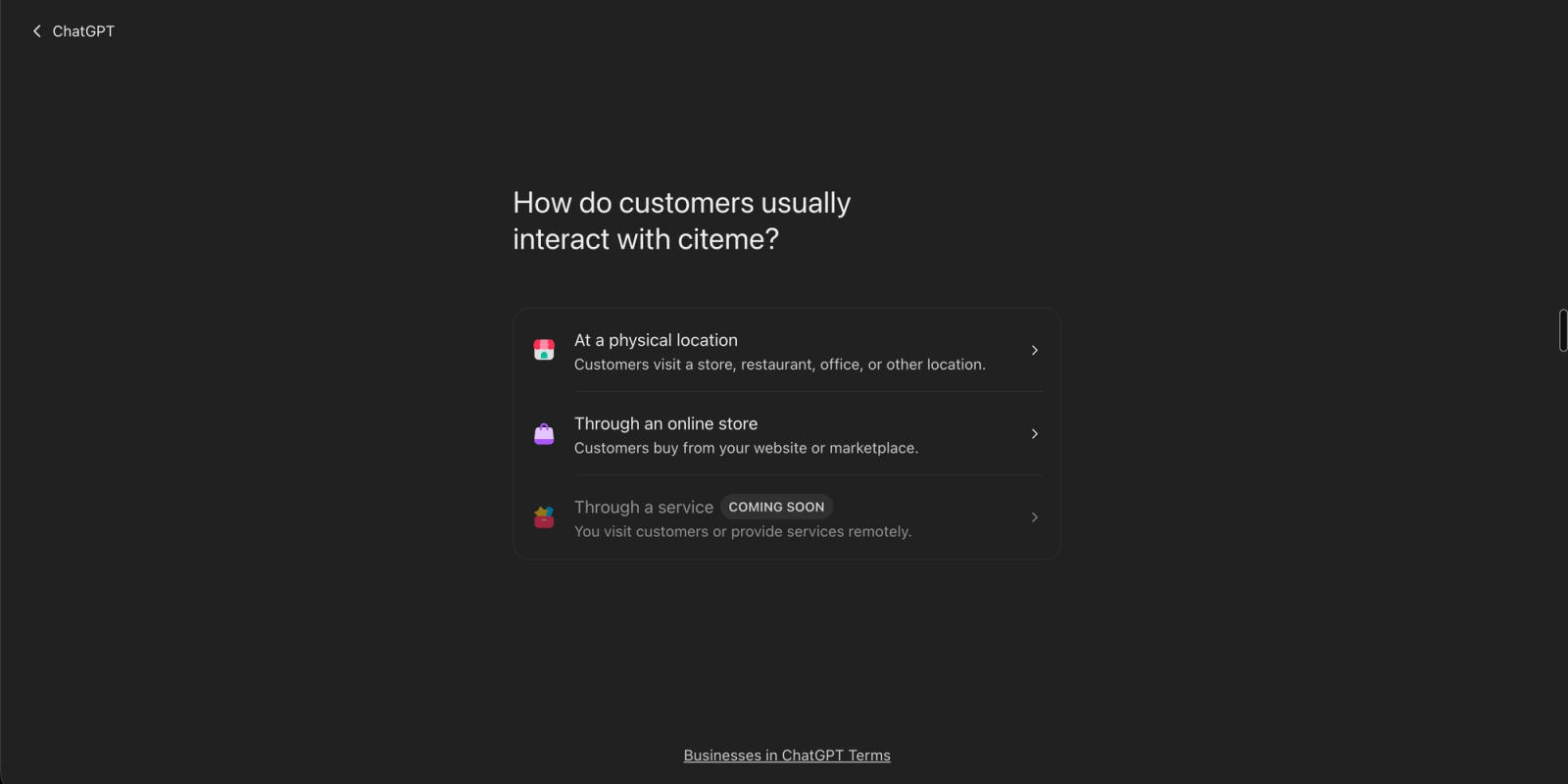
A software vendor, an agency or a consulting firm falls under the "service" option, which is not open yet. For Citeme, we tried the "physical location" option: we are on the waitlist. We did not try to push a software product through the "online store" path.

Step 3: add your website and prove you own it
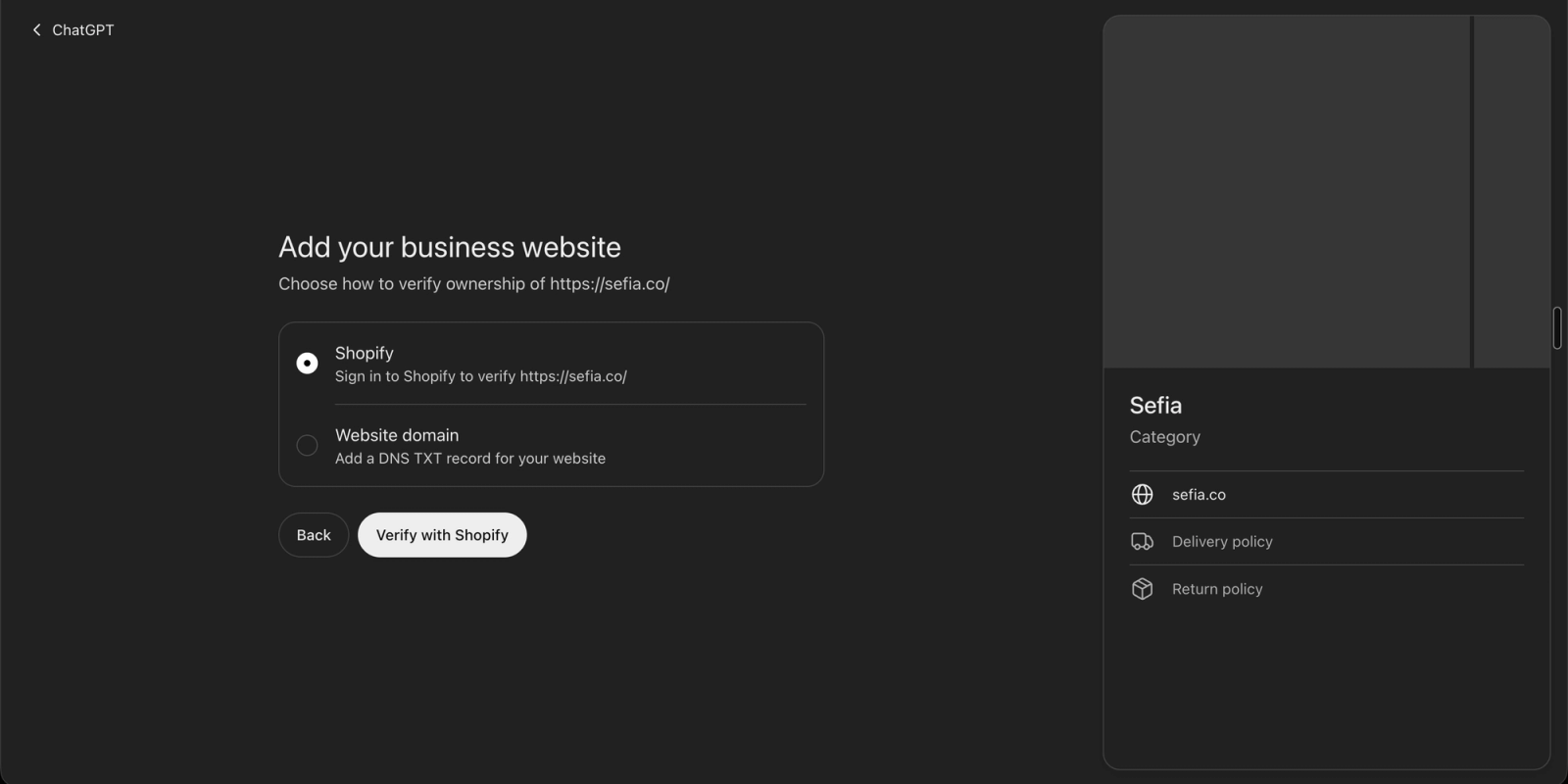
The rest of the flow comes from our second attempt, with an online store. You enter the site address. ChatGPT then offers two ways to verify ownership: sign in to Shopify, or add a DNS TXT record to the domain. The second method works without Shopify, but requires access to the domain's DNS settings.
Step 4: fill in the profile
Four short screens follow: a contact phone number and email (both optional), a category and a free-text field for information ChatGPT can share in conversations, the delivery policy, then the return policy. A preview of the profile builds up on the right as you answer.
The free-text field deserves care: it is the only place in the flow where you write, in your own words, what ChatGPT can say about you.
Step 5: a draft profile, then identity verification
At the end, the profile is saved as a draft. The final screen also offers $500 in ChatGPT Ads credit and an upgrade to the ChatGPT Business plan.
One step remains before you can edit business info or publish an agent: verifying your identity with a government-issued ID. We have not completed that step yet.
Two profiles get a separate path, according to OpenAI: ChatGPT Enterprise customers and ChatGPT Ads advertisers work with their OpenAI representative. Shopify merchants can also start from the Shopify admin, and their eligible products are already in ChatGPT through Shopify Catalog.
What does Business Hub show about your visibility?
The dashboard has three entries: the overview, an agent builder and products, where you upload your catalog from a file.
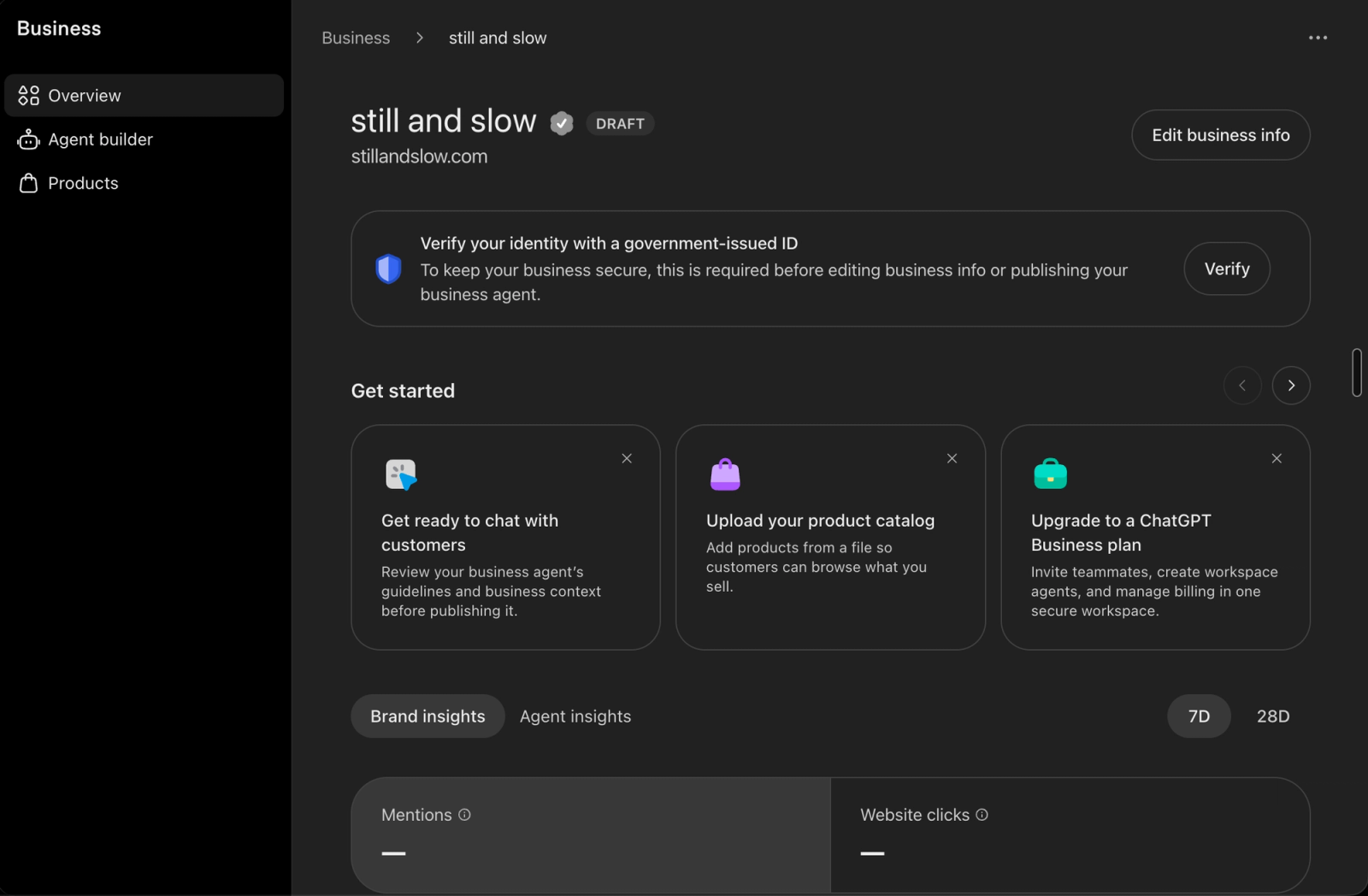
The "Brand insights" tab reports three metrics, over 7 or 28 days.
- Mentions: how many times your business appears in answers.
- Website clicks: how many visits ChatGPT sends to your site.
- Discovery topics: the top five conversation themes in which your website is cited.
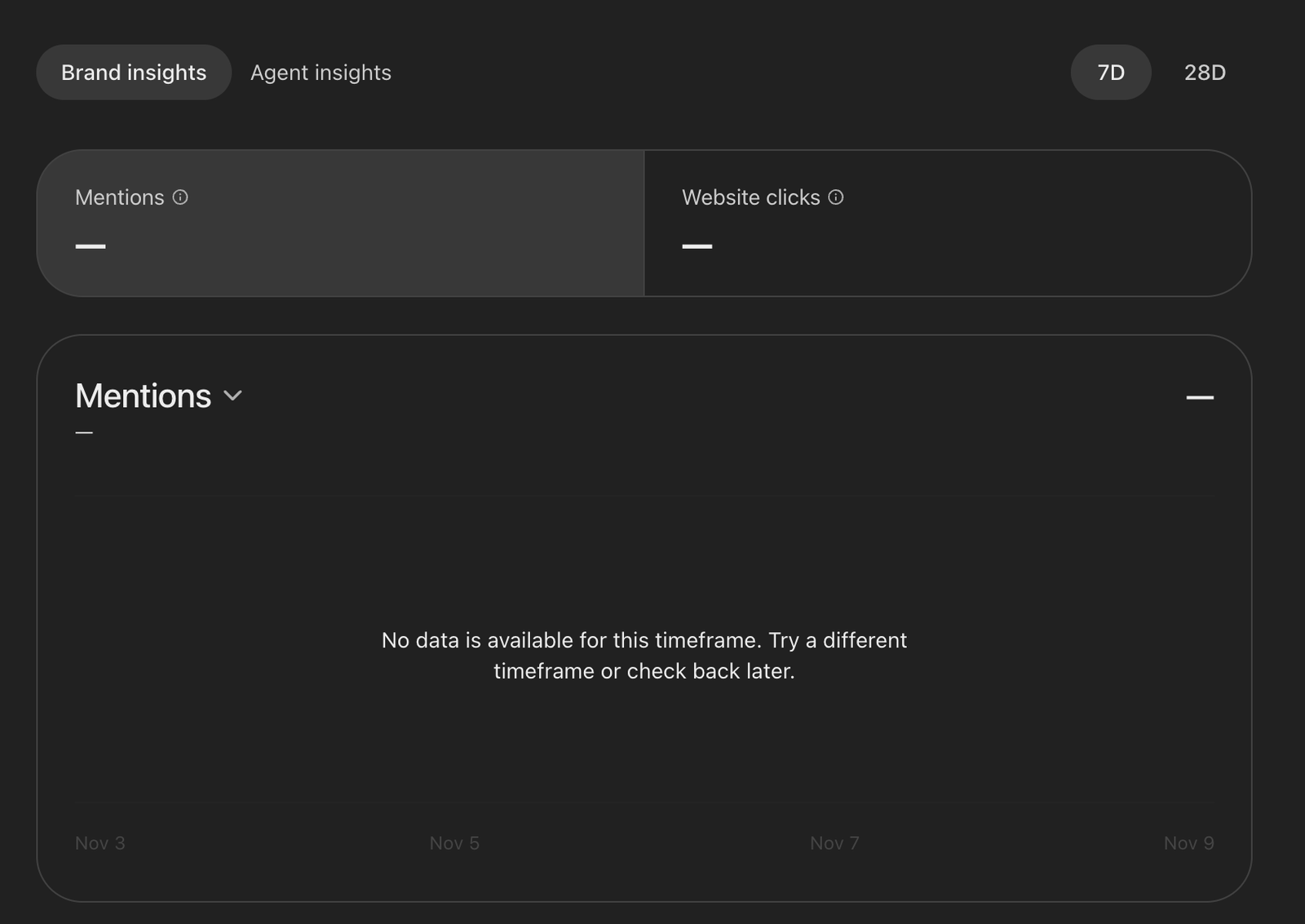
A second tab, "Agent insights", is for businesses that have published a Business Agent.
These numbers are aggregated. OpenAI does not share user conversations or Business Agent chats with businesses, and only shows insights when there are enough conversations to pass a threshold. A small brand with few citations may therefore see an empty dashboard.
Our screenshots show empty counters, with the message "No data is available for this timeframe". We cannot conclude much from that: the profile had just been created, it was still a draft and the identity was not verified.
For a brand, this is new. Until now, the number of mentions in ChatGPT could only be estimated from the outside, by asking the engine questions and counting the answers. OpenAI now provides its own counter, based on real conversations.
What does Business Hub not show?
The announcement describes insights about your own business, in ChatGPT only. Several things a GEO strategy needs (GEO stands for generative engine optimization, the work of getting cited by AI engines) are absent, at least from what OpenAI has published.
| Question | Business Hub (per the announcement) | Prompt tracking across engines |
|---|---|---|
| How often am I mentioned in ChatGPT? | Yes, on real conversations | An estimate, on the prompts you track |
| How many visits does ChatGPT send me? | Yes | Yes, through site traffic analysis |
| Which exact questions am I cited on? | Aggregated topics, not the questions | Yes, prompt by prompt |
| Who gets cited instead of me? | Not mentioned in the announcement | Yes |
| What do Gemini, Perplexity, Claude or AI Overviews say? | No, ChatGPT only | Yes |
| What does the answer say about me? | Not mentioned in the announcement | Yes, the answer text is stored |
The two approaches complement each other. Business Hub gives the real volume on one engine. Prompt tracking gives the detail, the competitors and the other engines. We sell a tool in the second category, so read this table with our interest in mind.
Across seven brands we track and close to 2,000 queries sent to the engines, the citation rate is 13%. It ranges from 17% on Claude to 11% on Perplexity, with ChatGPT at 14%, and the most favorable engine is not the same for every brand. A dashboard limited to ChatGPT says nothing about what happens elsewhere.
What is a Business Agent?
A Business Agent is a conversational agent that answers on behalf of a business, inside ChatGPT. It relies on the product information and guidelines the business provides.
OpenAI describes the flow as follows. When a business appears in an answer, the user can click to open its profile. If a Business Agent is available, the user can choose to talk to it, to compare two products or ask follow-up questions. That conversation is clearly labeled, separate from the original conversation and distinct from ChatGPT's independent answers.
The Business Agents policy sets firm limits. The main ones:
- The agent must be clear that it is AI representing the business. It cannot pose as a human, an independent adviser or a service endorsed by OpenAI.
- It must not invent offerings, prices, availability, reviews or guarantees.
- It must not pressure people, create false urgency or keep pushing after someone declines.
- It cannot ask for high-risk data: health details, government IDs, financial credentials.
- It cannot book, buy or pass on contact details on the user's behalf without explicit authorization.
- It does not give advice that legally requires a professional license.
OpenAI can suspend or remove an agent, and states that business verification alone does not guarantee agent eligibility.
One last point, a commercial one: a Business Agent can be sponsored and used as the destination for a ChatGPT ad. Sponsored placements are labeled and separate from answers. OpenAI plans to expand Business Agents to more markets and categories, with no date given.
What does it change for your AI visibility?
Four things change, and one does not.
ChatGPT now has an official information channel
With Business Hub, you send your information and your catalog to ChatGPT yourself. OpenAI writes that ChatGPT "may" use this information to answer, without promising it. It remains a direct channel to fix an address, a price or an outdated offer.
Mentions become an official metric
OpenAI now counts mentions itself and shows them to businesses. Marketing teams will have a reference number, provided by the engine, on the metric GEO has tracked from the start: being cited in the answer. Our guide on how to track ChatGPT brand mentions covers the methods that existed before this launch.
The product catalog becomes a GEO topic
For a retailer, the product feed with pricing and availability becomes a piece of ChatGPT visibility, as it already is for Google Shopping. Our article on the best Shopify apps for GEO covers the Shopify case.
The line between answer and advertising gets sharper
Claimed profile, agent, sponsored agent, ad: OpenAI is stacking several surfaces for brands. It states that the agent conversation and sponsored placements are labeled and separate from answers. The answer itself stays out of reach of a purchase.
What does not change: how you get recommended
Claiming does not move a brand up in answers. To be recommended, ChatGPT still has to find your brand in its sources: your site, but also the comparisons, press, reviews and forums it reads. Our guide on how to rank in ChatGPT describes that work, and the generative engine optimization guide gives the full method.
Our take: very good news, and data we are waiting for
For Citeme, this announcement is a very good sign. OpenAI is building a mentions dashboard for businesses: visibility in AI answers, the topic we have worked on from the start, now has its official tool.
It also creates a very concrete expectation on our side: we absolutely need this data. Real mentions and clicks counted by OpenAI, combined with prompt tracking across several engines, would give a far more accurate picture than either source alone. The pages OpenAI published do not mention API access to these insights. We cannot wait to bring them into Citeme, and we will as soon as it becomes possible.
What to do this week
- Start the claim in Business Hub. If you sell online, you can create your profile. If not, join the waitlist.
- Prepare verification: access to Shopify or to your domain's DNS zone, and a government-issued ID.
- Review your core information before you submit it: name, description, offers, prices. It should match your site, your social profiles and your directory listings.
- Prepare your product feed if you sell online, with current prices and stock.
- Write down your starting numbers. Mentions, clicks and discovery topics on the day you claim will be your baseline.
- Keep measuring the other engines. Ask the same list of buyer questions to Gemini, Perplexity, Claude and AI Overviews at regular intervals. That is what prompt tracking in Citeme does, for €69 per month excluding tax.
- If you are in the US and eligible, read the Business Agents policy before you write your agent's guidelines.
FAQ
What is Businesses in ChatGPT?
It is a set of tools OpenAI launched in beta on November 10, 2026. It lets a business claim its profile in ChatGPT, update its information, upload a product feed and view insights on its mentions. Everything is managed from Business Hub.
Does claiming your business improve your ranking in ChatGPT?
No. OpenAI states that claiming does not guarantee higher placement or sales, and that ChatGPT keeps making independent recommendations and comparisons. Claiming is for providing accurate information and accessing insights.
Where is Businesses in ChatGPT available?
Claiming is announced for eligible businesses located where ChatGPT is available. Eligibility depends on industry, location and OpenAI's verification checks. Business Agents are limited to the United States for now.
Can a SaaS or a service business claim its profile?
Not yet. In the flow we went through on November 10, 2026, the "service" option is labeled "Coming soon", and the "physical location" option leads to a waitlist. Only online stores reach profile creation.
Do you need a Business Agent to show up in ChatGPT?
No. ChatGPT may show information about your business whether or not you have an agent, when the question is relevant. The agent only adds the option for a user to start a conversation with your business.
How much does it cost to claim a business in ChatGPT?
The pages OpenAI published on November 10, 2026 list no price for claiming or for Business Hub, and we met no payment step. Advertising is separate: ChatGPT Ads is paid, and the last screen of the flow offers an ad credit.
Does OpenAI share conversations with businesses?
No. OpenAI says it does not share user conversations or Business Agent chats with businesses. Insights are aggregated and only appear above a certain number of conversations.
Does Business Hub replace a GEO tracking tool?
No, it complements one. Business Hub measures your real mentions in ChatGPT. It does not cover other engines, and the announcement mentions neither competitors nor exact questions. A GEO tracking tool covers those three points.
Sources (3)

Written by
Alexandre Teillet · CEO, CitemeCEO of Citeme, leading the brand's content and AI visibility strategy across answer engines.