Track the questions your buyers ask AI.
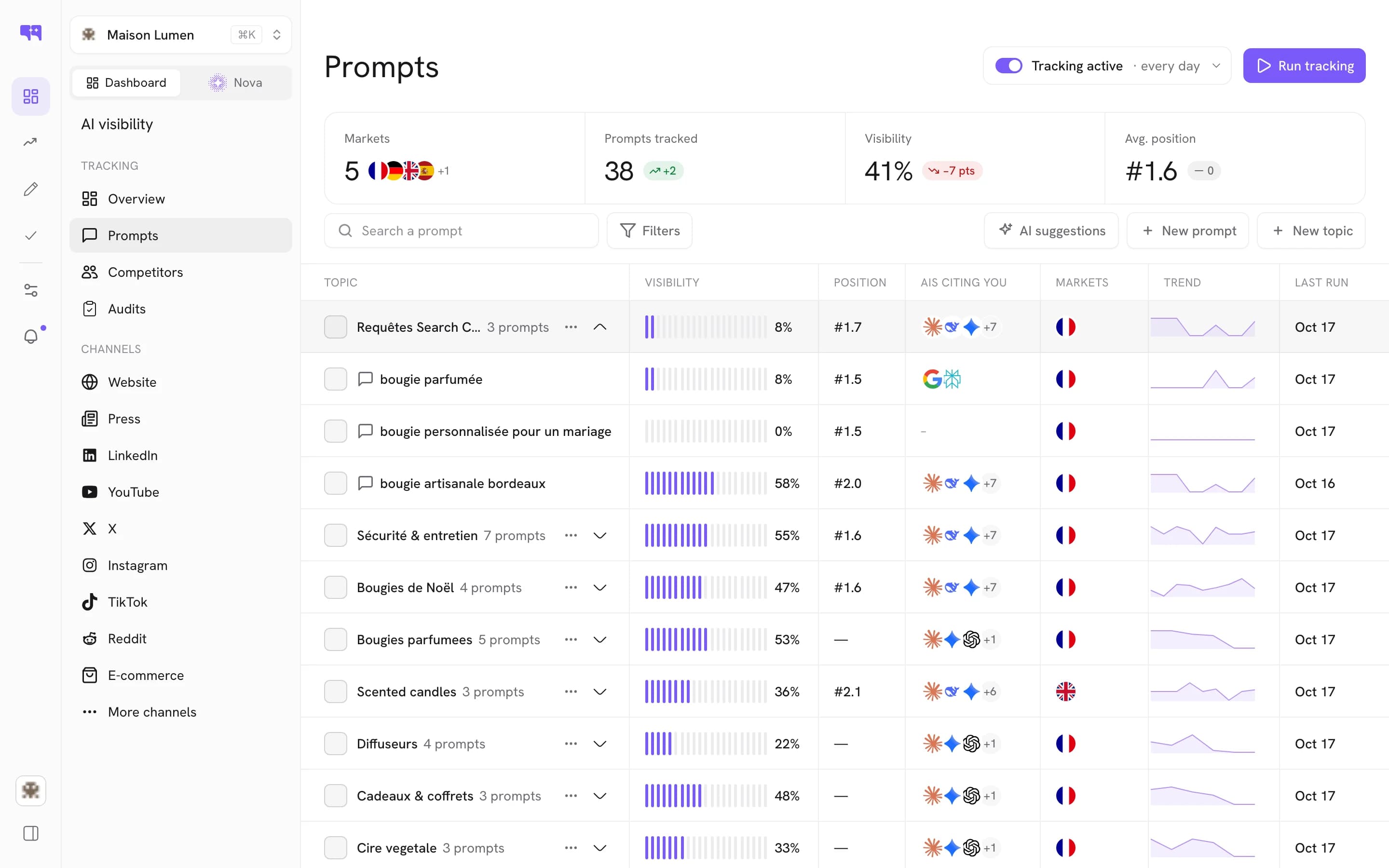
Citeme reads your site, writes the questions a prospect would actually put to an assistant, and runs each one on the ten AI engines, in the markets you sell to. Every run is kept, so visibility becomes a series.
7 days for $1Cancel in one click10 AI engines covered

What is prompt tracking?
Prompt tracking measures your brand on the questions prospects actually put to an assistant. In Citeme, a project is a domain, the prompts tracked against it and its GEO Score history. Each prompt goes to the ten engines in the same audit, and every answer is read for mentions, sentiment and ranking position.
Every prompt, measured the same way.
Written from your site
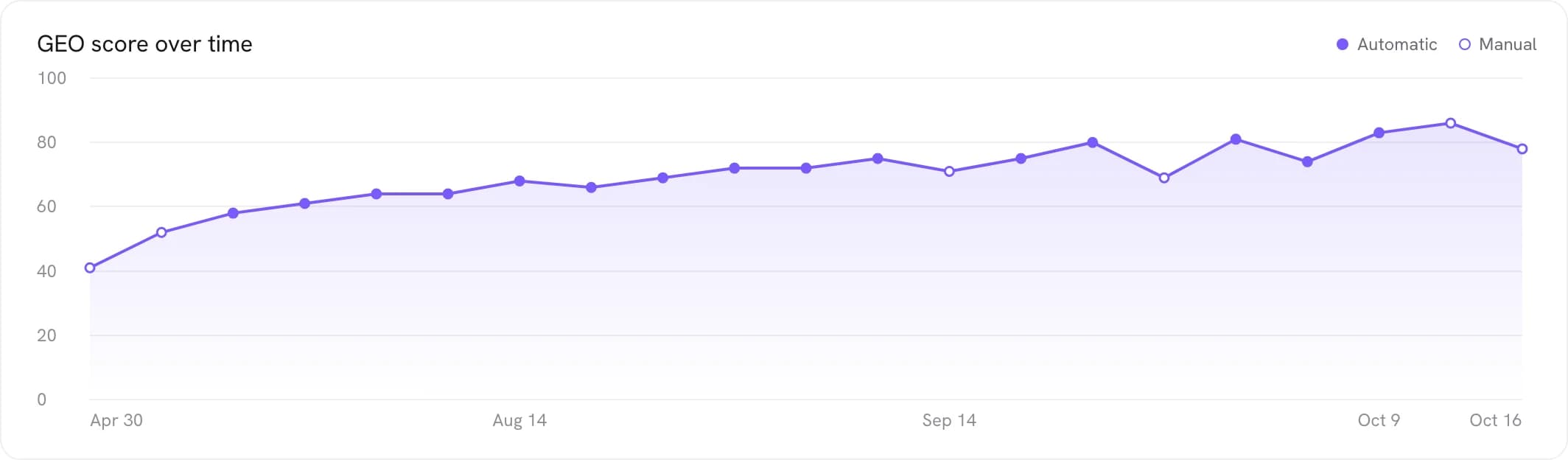
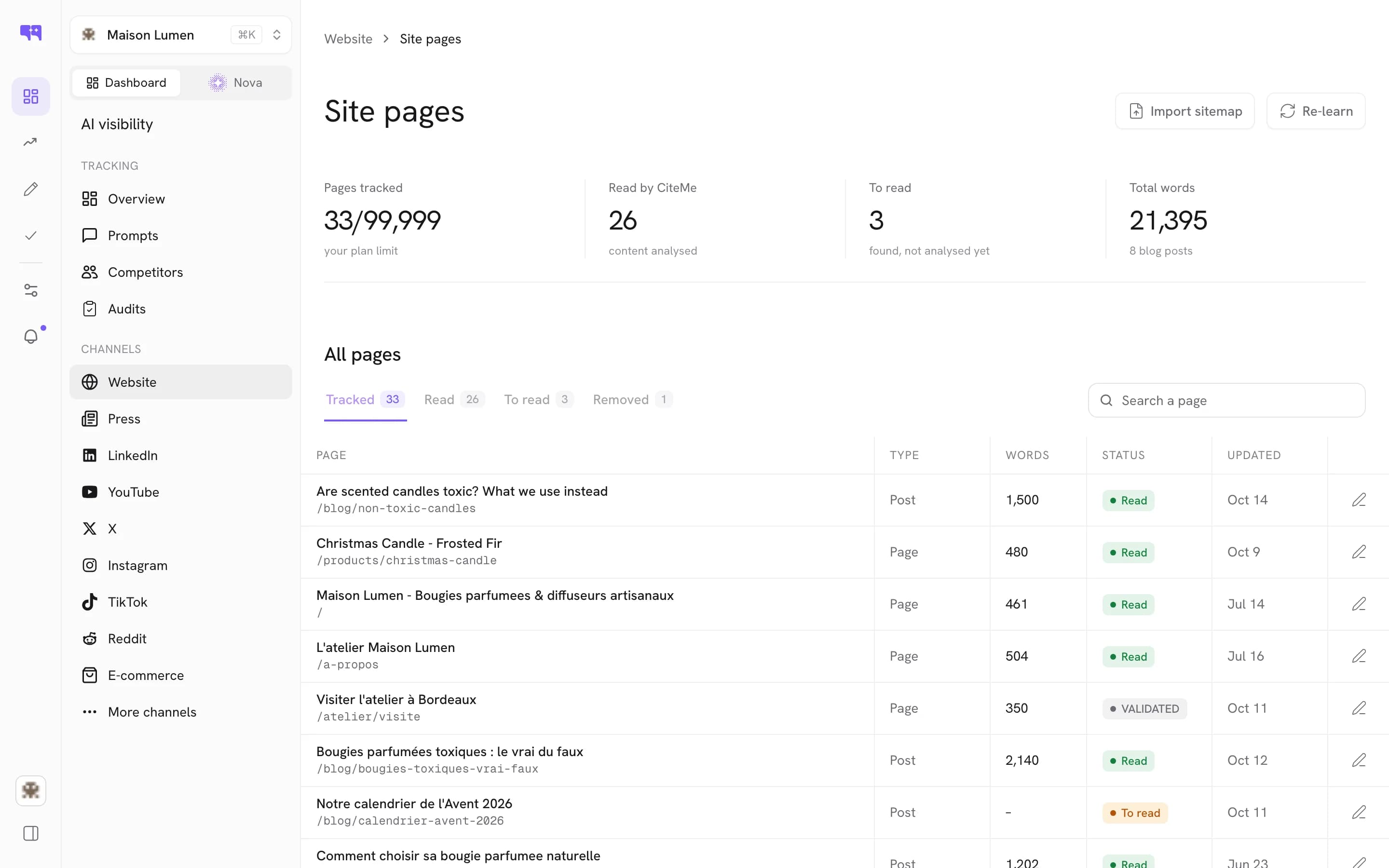
The crawler reads your sitemap, cuts pages into segments of roughly 300 words and turns them into embeddings, then writes the questions a prospect would actually ask.
Three prompt families
Brand queries, comparative queries such as cheaper alternatives to a named rival, and problem or solution queries describing the need you answer.
Yours to edit
Edit the list under Configuration, then Keywords, to reach a specialist segment or add a query the system missed. Start from the generated set, refine after your first audit.
Grouped into topics
Topics group related prompts, so a question about a whole theme gets answered without listing a hundred queries one by one.
Tracked per market
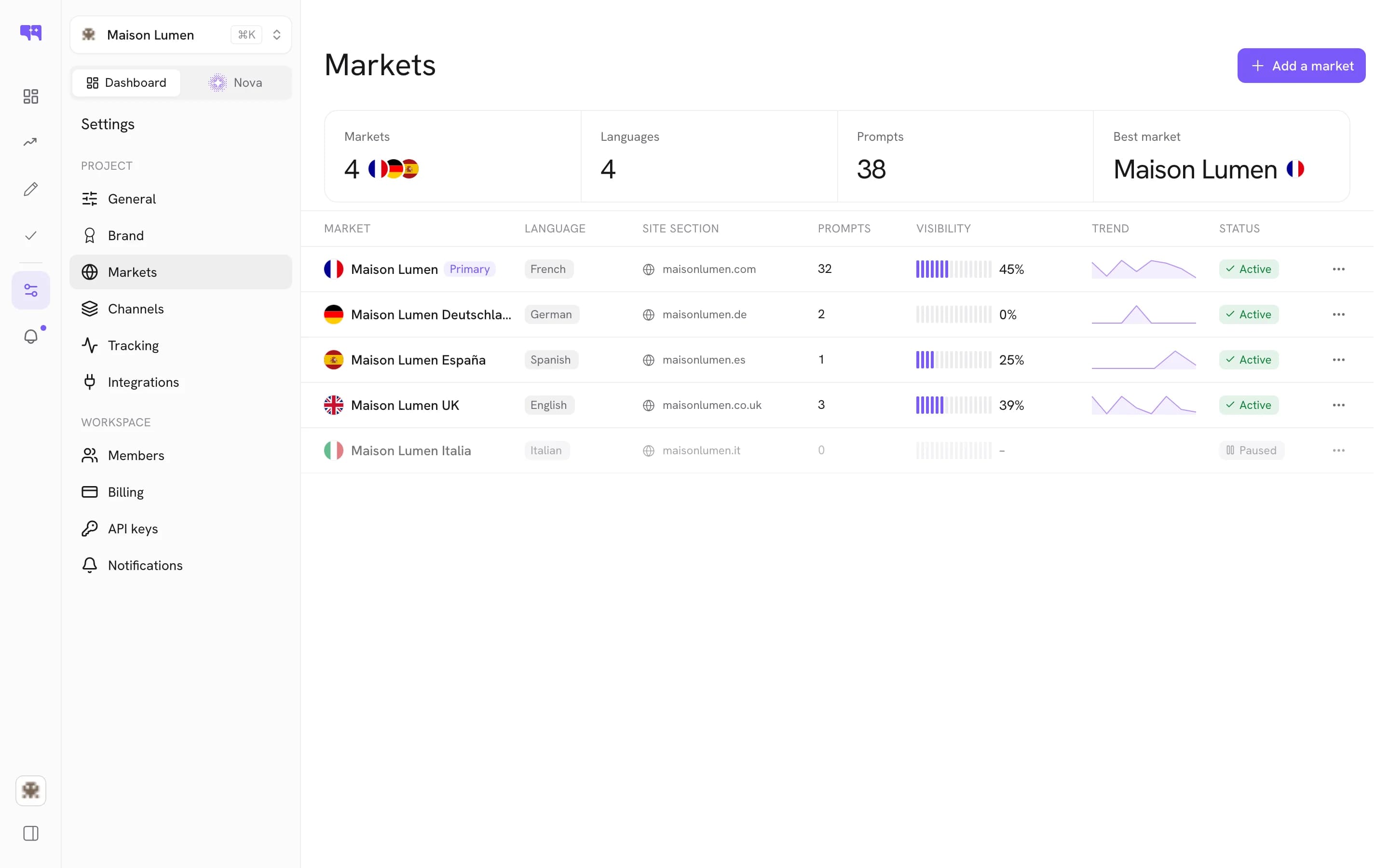
France, US, UK, Germany, Spain, Italy, Canada or Global. The engines answer differently per market, so you track where your buyers actually are.
Add prompts from chat
Through the Citeme MCP server, create_topic and create_prompts put a new question under tracking from ChatGPT, Claude or Cursor. The next audit measures it like any other.
How a prompt gets tracked.

Three steps. No setup project.
Paste your URL
The crawler reads your sitemap and generates your first prompt set automatically.
Refine the list
Edit prompts under Configuration, Keywords, group them into topics and pick your markets.
Track every run
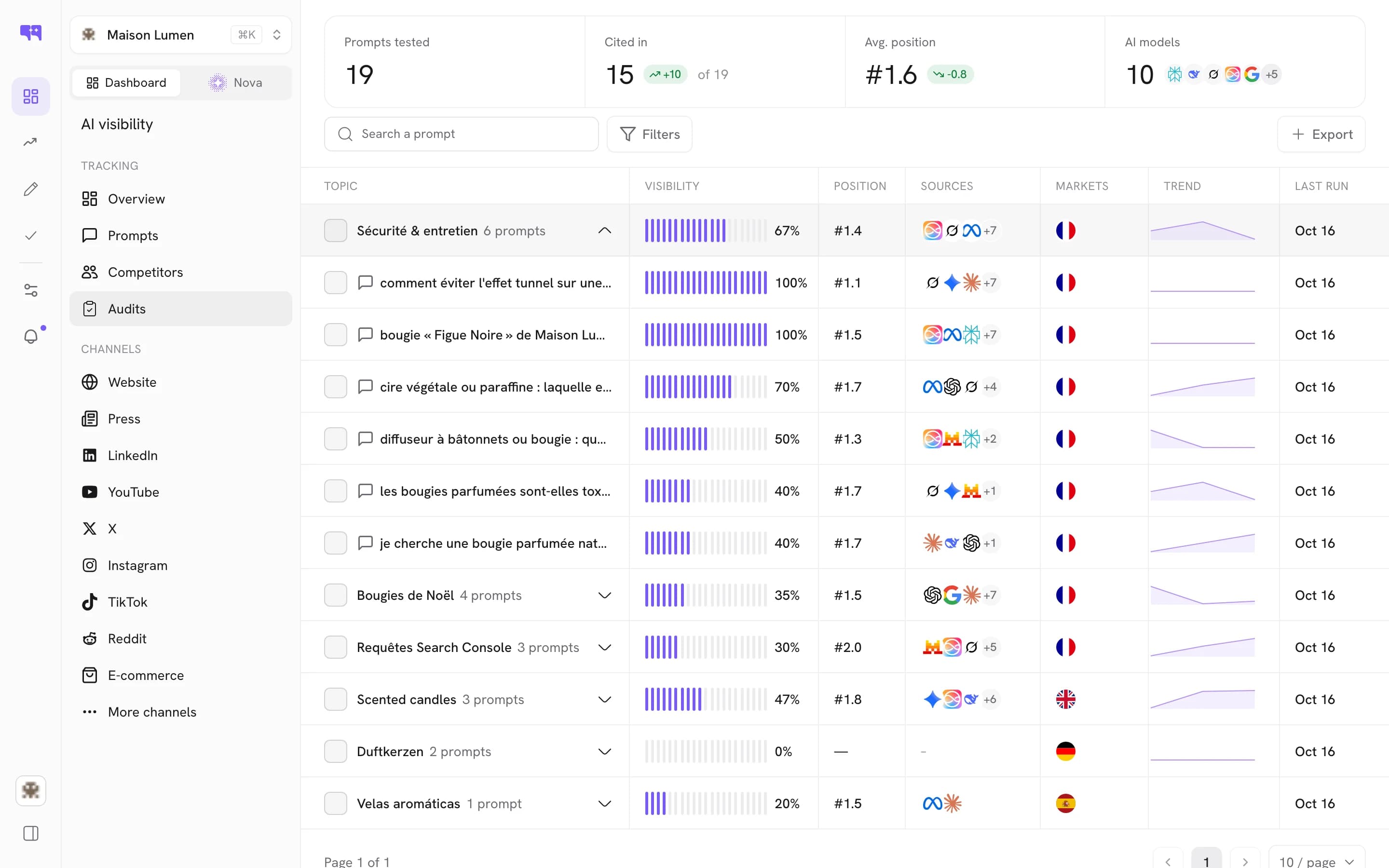
Each audit runs your prompts on the ten engines, weekly or daily, and keeps the history.
Good to know
The questions teams ask before they turn on Prompt Tracking.
Where do the prompts come from?
From your own site. Before any scan the crawler follows your sitemap.xml, extracts the main content of each page, cuts it into segments of roughly 300 words along the H1 to H6 hierarchy and turns them into embeddings. From that reading it identifies your products, services and positioning, then generates the questions a prospect would put to an assistant.
Can I edit or add prompts?
Yes. Edit the list under Configuration then Keywords, to reach a specialist segment or add a query the system missed; the documentation advises starting from the generated set and refining after your first audit. Topics and prompts can also be added from an AI client through the Citeme MCP server, and new prompts are measured by the next audit.
Why are some of my pages missing from the prompts?
Prompt generation is limited by your sitemap: pages behind a login, pages marked noindex and pages absent from the sitemap are never indexed, so they never feed it. Behind Cloudflare or a strict WAF, the CiteMeBot/1.0 user agent has to be allowed first.
Which engines and markets are covered?
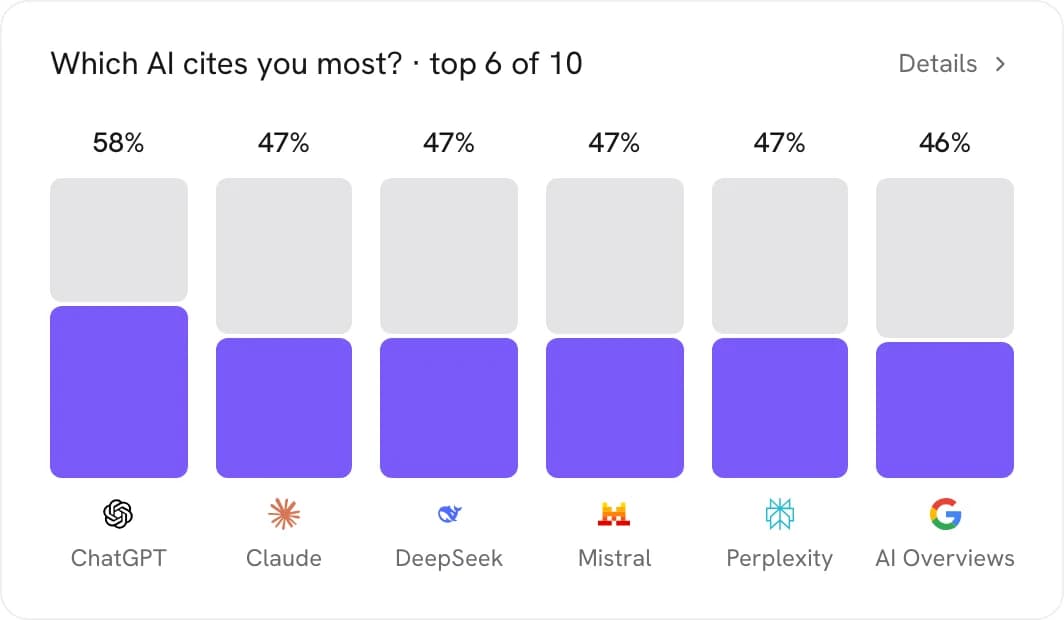
Each prompt runs on ChatGPT, Claude, Gemini, Perplexity, Grok, Google AI Overviews, Siri AI, DeepSeek, Meta AI and Mistral in the same audit. You target France, US, UK, Germany, Spain, Italy, Canada or Global, because the engines answer differently per market.
Why is each prompt asked several times?
Language models are not deterministic: the same question can cite you on one call and omit you on the next. Each query is executed several times on each model, and each keyword is asked zero-shot, chain-of-thought and few-shot, so the score rests on an average rather than a single execution.
Can I see what each engine answered?
Yes. Per keyword you can open the raw answer from each model, your exact position inside it, the competitors cited alongside you, your sentiment and the excerpts showing how the model talks about you.
How many prompts can I track?
Tracked prompts are a plan quota: the Platform plan includes 20, measured on all 10 AI models. The done-for-you engagement is scoped and quoted individually.

See it on
your own market.
Test your prompts on the ten AI engines: 7 days for $1, then cancel anytime.