Your GEO data, in your own code.
CiteAPI is a REST API on the same data as the platform. Pull every audit of a project into your own reporting, build a dashboard, a script or a product feature, and keep your keys encrypted and revocable.
7 days for $1Cancel in one click10 AI engines covered

What is CiteAPI?
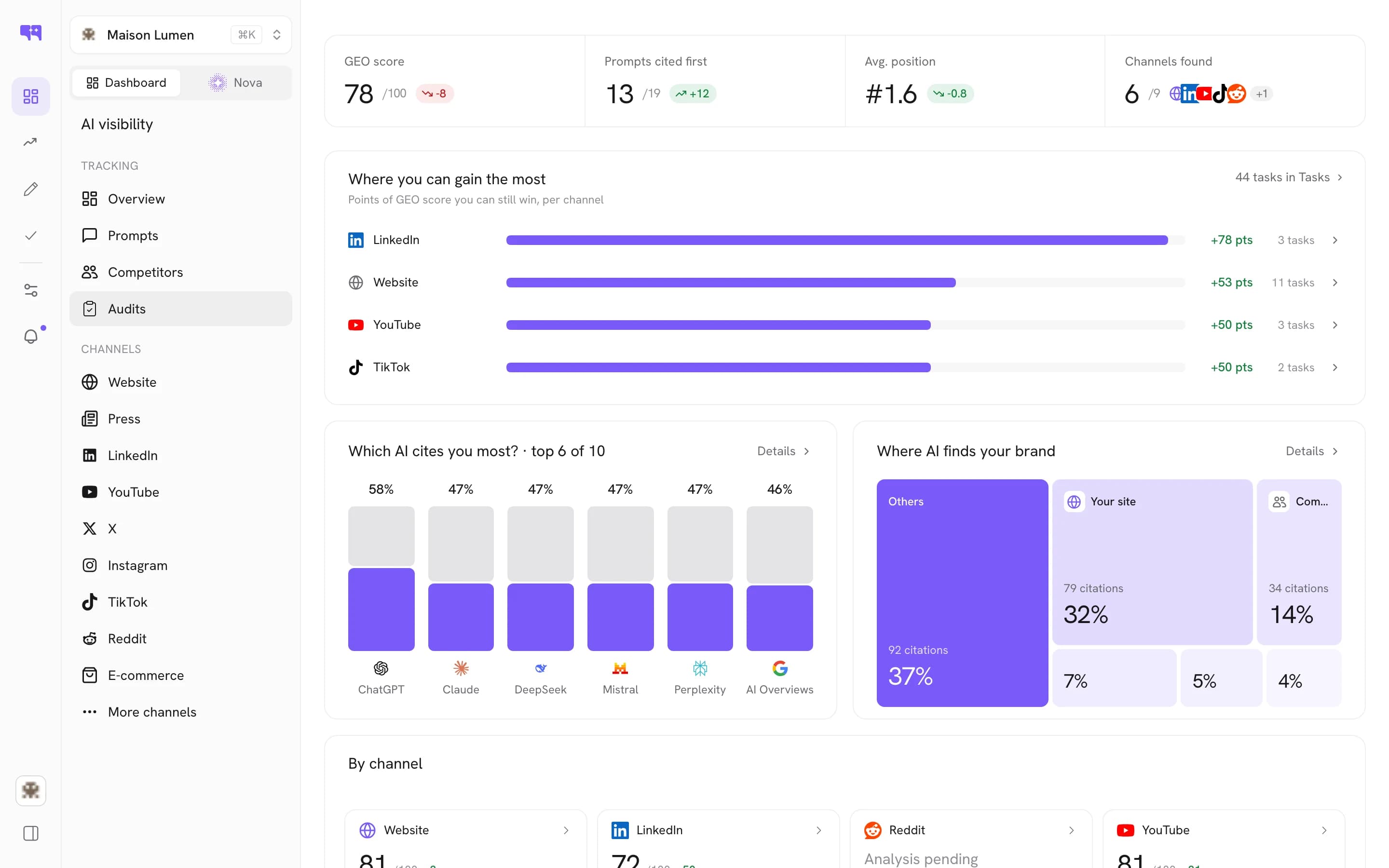
CiteAPI is Citeme's REST API. You write code against it, you handle auth, pagination and shapes yourself, and you get exactly what you asked for. It serves the same data as the MCP server to a different consumer: your code rather than a model. Use it when you are building something: a dashboard, a script, a product feature.
Same data, your own code.
Every audit, one GET
A GET on the audits of a project returns the full list, which is how you pull scores into your own reporting.
Full audit records
Each audit comes with its score, status, duration in milliseconds, creation timestamp and technical details, including the model that answered and the region simulated.
Incoming webhooks
An incoming webhook trigger generates a URL any external system can call. The request body becomes the trigger payload, reusable by every node downstream.
One login, CLI and MCP
The MCP server reads the same credentials as the Citeme CLI, so on Claude Desktop's local setup or Claude Code a single citeme login covers both.
Exportable reports
Exportable reports are included in the plan, with a ready-made PDF report template. Nothing is deleted if you cancel.
Encrypted, revocable keys
Keys are encrypted with AES-256-GCM, only their last four characters are shown, and revocation is immediate. Leaked cm_live_ keys on public GitHub are revoked outright.
Pull, sign in, trigger, export.

Three steps. No setup project.
Sign in once
Run citeme login, or use a Citeme CLI key from your account for MCP clients.
Pull your audits
A GET on the audits of a project returns the full list.
Use your own tools
Chart scores in your own reporting, or export reports from Citeme.
Good to know
The questions teams ask before they turn on API & CLI.
Should I use the API or the MCP server?
Same data, different consumer. If you are integrating Citeme into software, use the API: you write the requests and handle auth, pagination and shapes. If you want to ask questions about your GEO in the assistant you already have open, use the MCP server: it describes its own tools and you never write a request.
Can I pull audit scores into my own reporting?
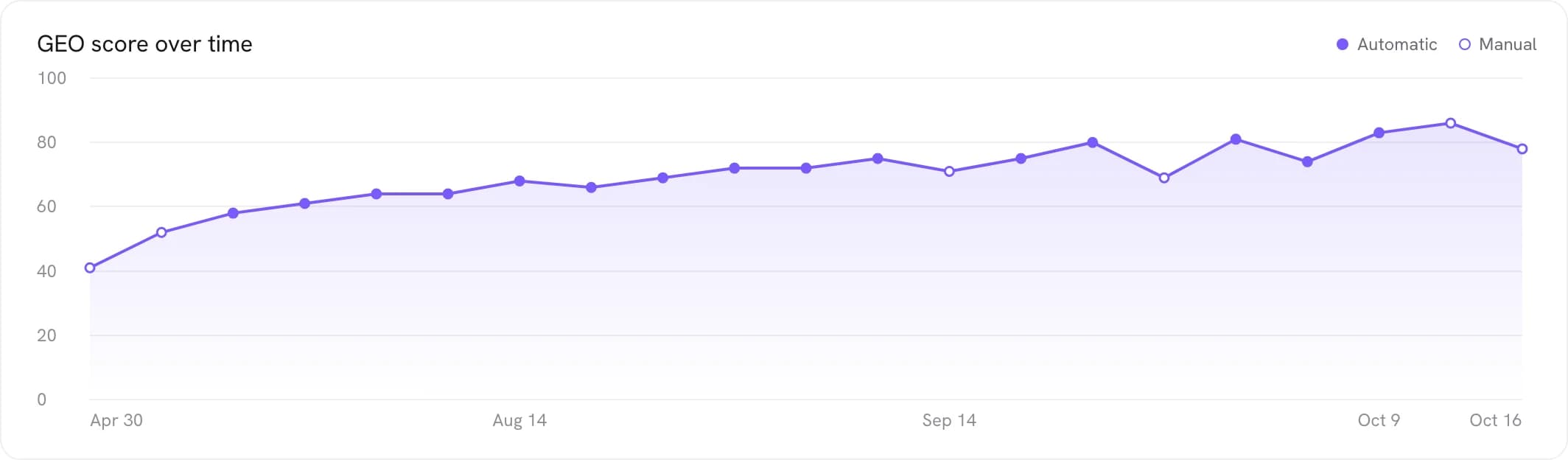
Yes. A GET on the audits of a project returns the full list, each audit stored with its score, status, duration in milliseconds, creation timestamp and technical details, including which model answered and which region was simulated. Because the displayed score blends the current run with previous ones, a genuine improvement shows up over two or three audits.
Can I trigger a new audit through the API?
Triggering a fresh audit through the API is restricted, and every audit launched consumes monthly quota credits. Pulling the audits a project already has is how you feed your own reporting.
How does the Citeme CLI relate to the MCP server?
ChatGPT, Cursor, n8n and other MCP clients authenticate to the remote MCP server with a Citeme CLI key from your account. For the local configuration of Claude Desktop, or for Claude Code, the server reads the same credentials as the Citeme CLI, so a single citeme login covers both. In Claude itself, the OAuth connector needs no key.
How are keys protected?
Keys are encrypted at rest with AES-256-GCM, with the encryption keys in a separate KMS, and the dashboard shows only the last four characters. Revocation from settings is immediate. Citeme scans public GitHub repositories continuously and revokes any leaked key in its own cm_live_ format, notifying the owner by email. An Editor can launch audits that use keys but never see, modify or export them.
Can I export my reports?
Yes. Exportable reports are included in the plan, with a ready-made PDF report template. If you cancel, your account stays available until the end of the period you paid for, then turns read-only. Nothing is deleted: you can export your reports and content whenever you want.

See it on
your own market.
Test your prompts on the ten AI engines: 7 days for $1, then cancel anytime.